
Drag-and-Drop, New Free Tools, & Many Refinements

Since the last update (Content Analysis, Expanded Search, and Press Mentions), we've been focused on making it faster to pivot between entities, smoothing out the mobile experience, and launching a trio of free tools for the broader community.
Sidebar, now with drag-and-drop
The sidebar widget dock has been quietly available for a little while, and it deserves its own spotlight. It lets you pop an entity or a keyword into a side panel without leaving your current page. This is perfect for cross-referencing a track while you're deep in a curator's playlists, or keeping a keyword open while you compare artists.
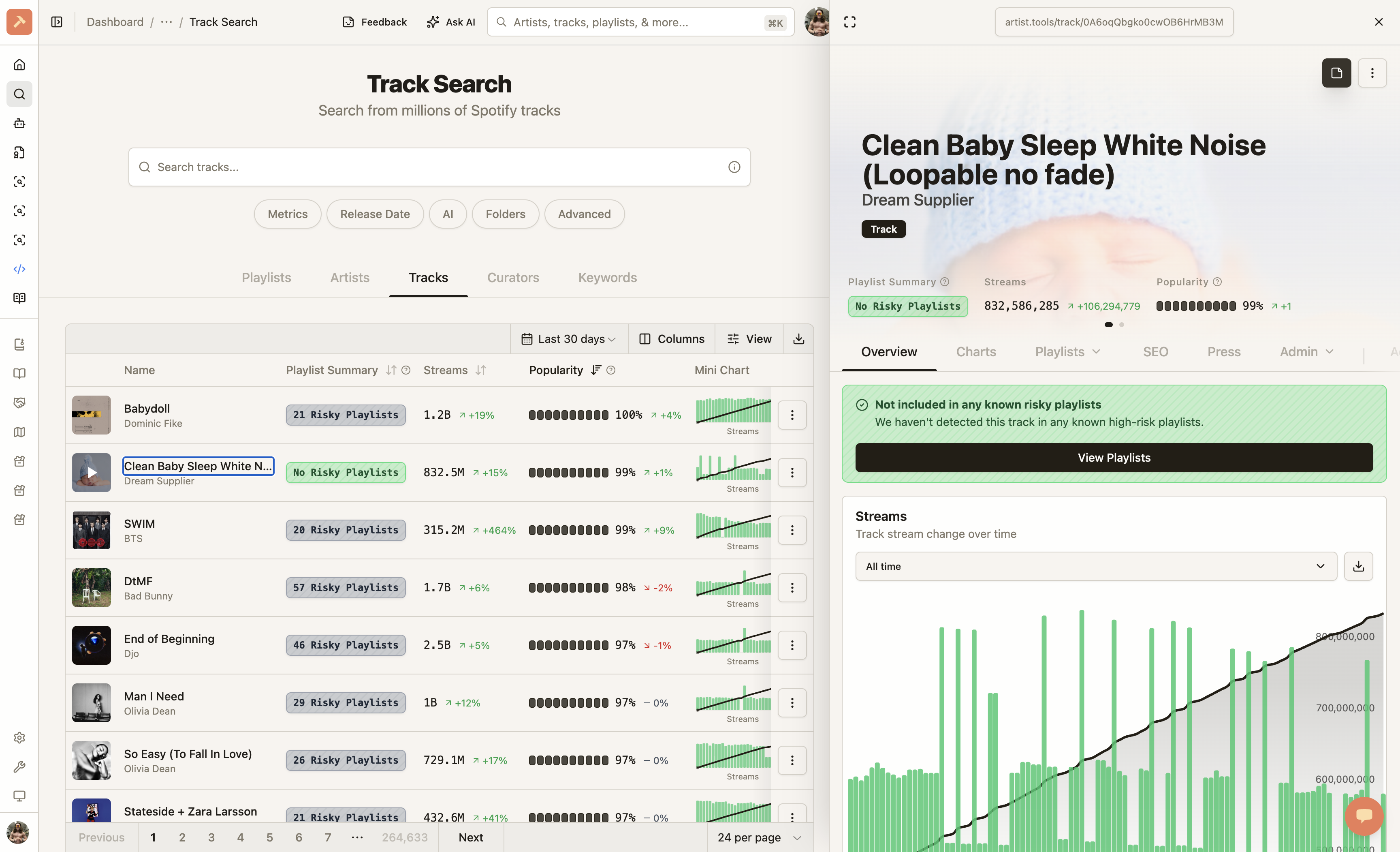
What's new in this release:
-
Drag any row into the dock. Grab a row in an entity table, keyword table, or entity card and drag it toward the sidebar. A drop zone slides out automatically, and a preview tile follows your cursor so you always know what you're about to dock.
-
Drag and drop directly from Spotify. Drag and drop items from Spotify directly into the artist.tools Sidebar. Great if you have two monitors. Previously, you had to copy the link into the search bar. Now, simply drag and drop!
-
One-click maximize. The header now has a "maximize" button to jump straight to the full page.
-
Session-persistent. Your last docked entity and keyword stick open as you navigate around the site. It's no longer isolated to the page you're on.
Track Changes Redesign
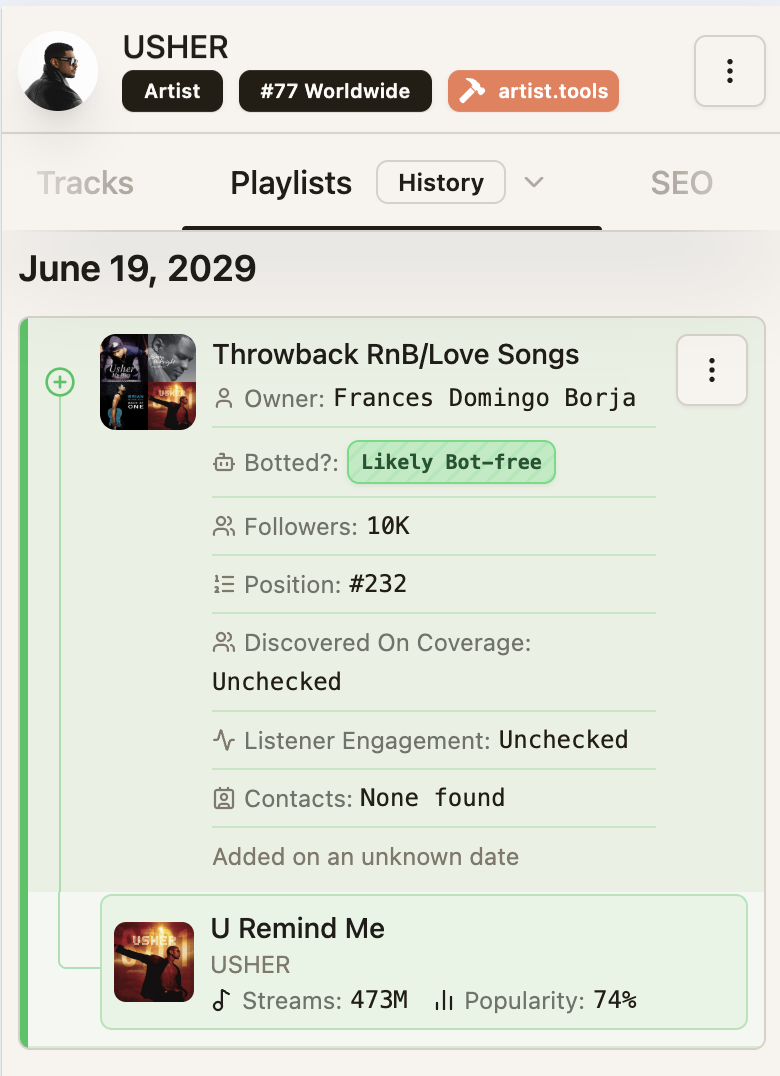
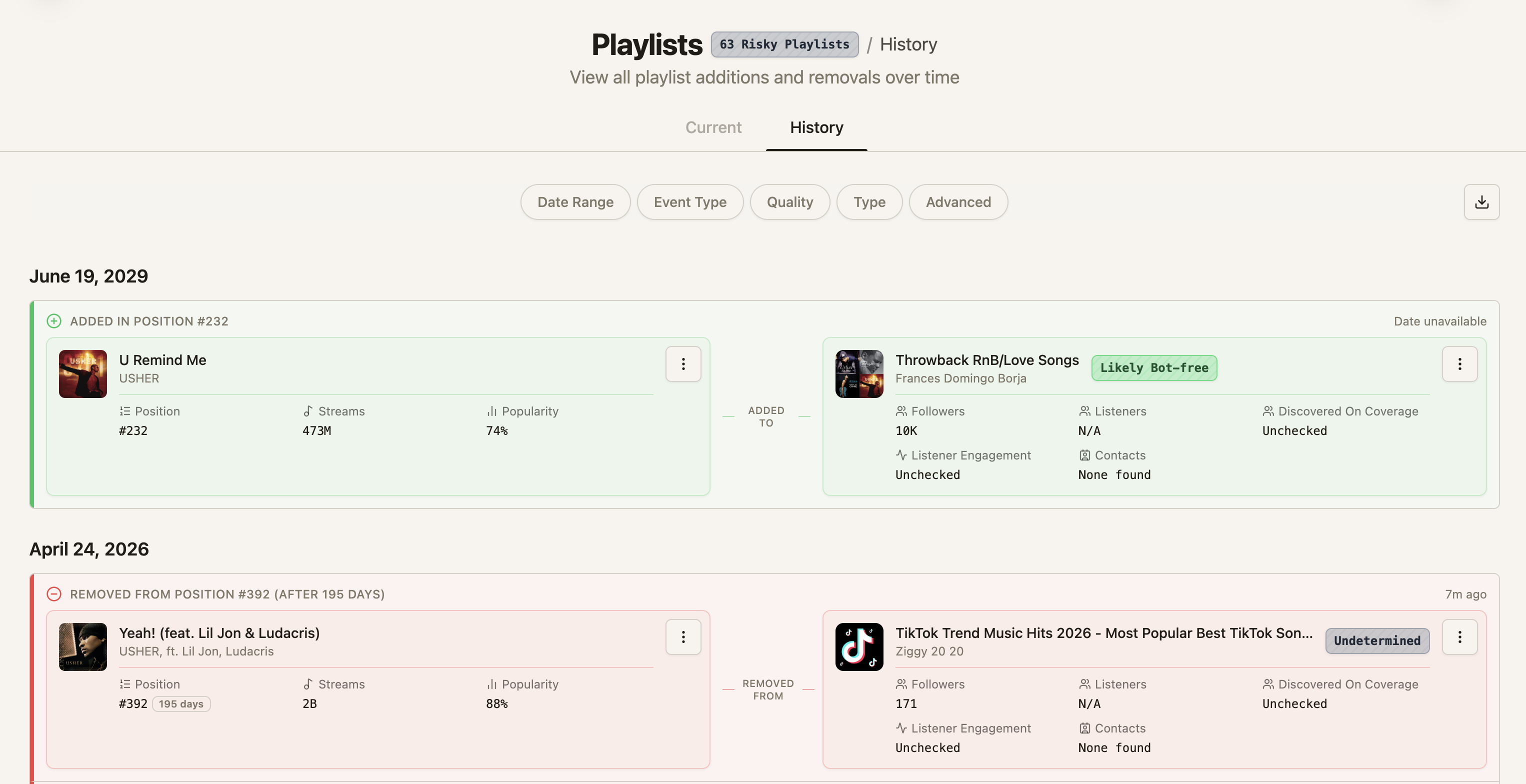
We redesigned the layout of the Track Changes to be more usable on mobile and accommodating on desktop.
We also added a few QOL details on playlists, like:
-
Discovered On Coverage. This metric shows what % of the artists included have this playlist appearing on their 'Discovered On' section on Spotify, which represents the artists top 50 most impactful playlists.
-
Listener Engagement. Also sourced from Discovered On data, estimates how engaged the playlist is (listeners) relative to its follower count.
-
Collaborator Changes. You can now use filters like 'Only changes as a collaborator on someone else's playlists' that show changes made to playlists this curator doesn't own.
Faster, smoother entity pages on mobile
We rebuilt the mobile entity view for noticeably snappier interaction:
-
Swipe-to-change-tabs is gone. The carousel that paged between Overview / History / Press / SEO / etc. was preloading every tab and fighting with horizontal scrolls inside tables. Tabs now render only when you open them, which dramatically cuts memory use and stutter, especially on older phones.
-
Smoother compact header. The shrink-on-scroll entity header no longer re-measures itself on every frame, and its transition is noticeably cleaner.
-
Press is now a top-level tab. On every entity, Press (backlinks and press mentions) is promoted from a sub-tab under SEO to a first-class tab with its own skeleton and loading behavior. Old
?section=seo-press-coveragelinks still deep-link correctly.
Redesigned mobile bottom navigation
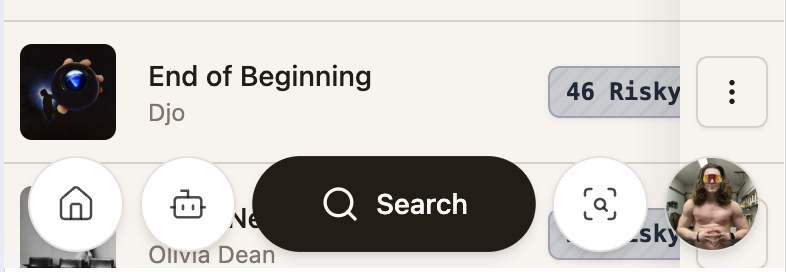
The bottom nav on mobile has been redesigned around a prominent Search pill in the center, flanked by circular icon buttons (Home, Alerts, Upgrade / SEO, and your avatar). Every button now gives a small haptic tap on press.
Three new free tools
Three free tools are live under More Tools in the sidebar, and each is public, indexable, and embeddable:
-
AI Song Checker. Paste or search any track, and we'll tell you whether it's been flagged as AI-identified.
-
Playlist Name Generator. Generate SEO-friendly playlist names tuned for Spotify discovery.
-
Spotify Popularity Score Checker. Look up any track, artist, or playlist's popularity score and how it's trended over time.
Browse without signing in
You can now explore entity pages, pricing, and all three new tools without an account. The sidebar renders in a guest-friendly state with a clear Sign in / up button and subtle lock icons on tools that require a paid or Industry plan, so you can see what's available before you commit.
Preferences: date format, persisted ranges
It's been made clear that relative dates (eg, about 2 years ago ) lacked precision in places that needed it.
-
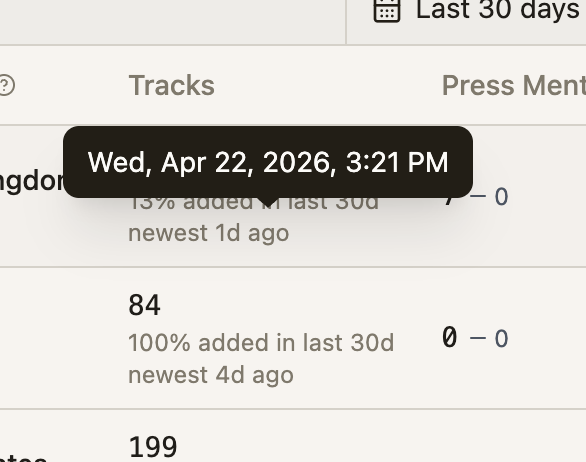
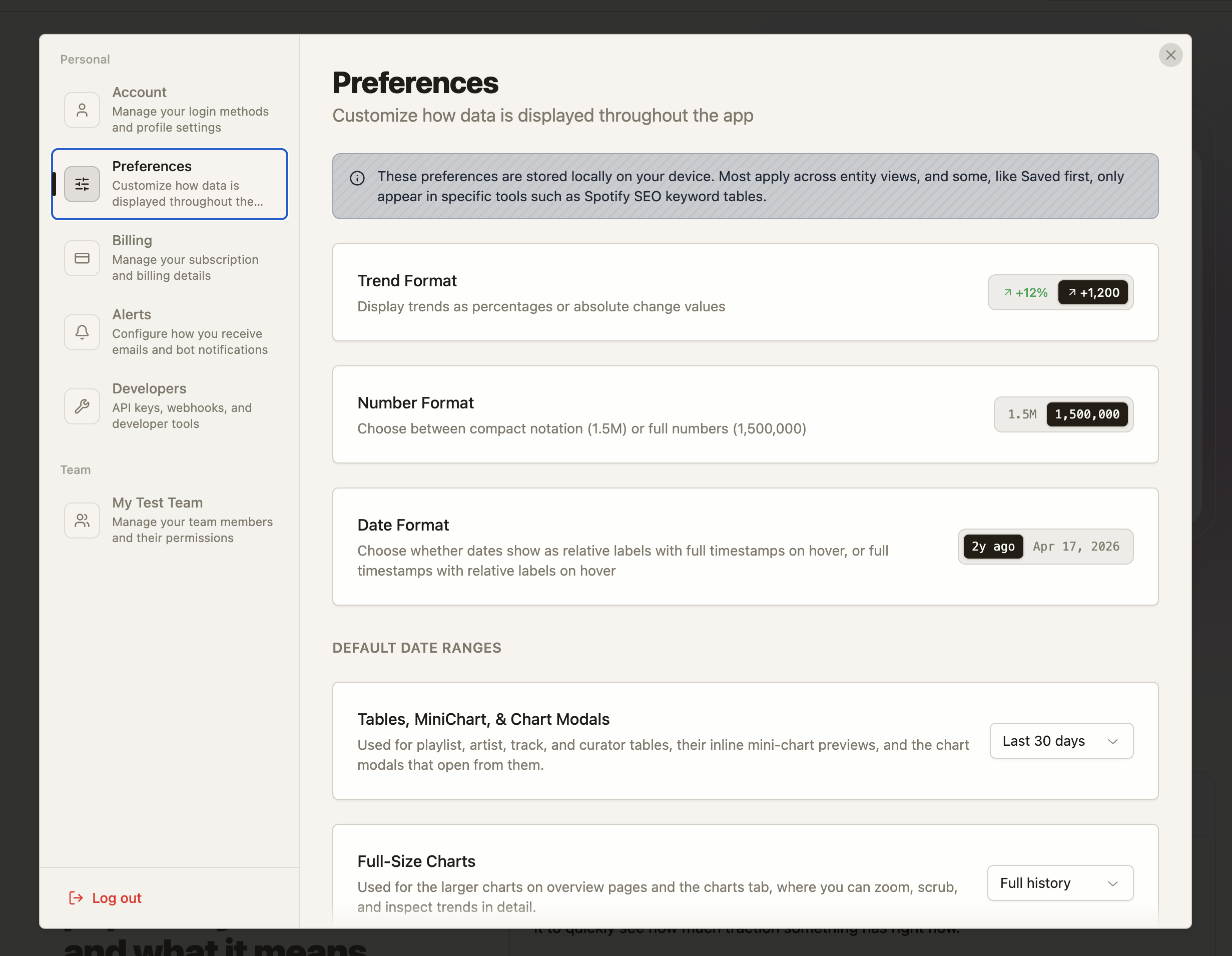
Date format preference. Toggle between relative ("3 hours ago") and full dates ("Apr 21, 2026, 3:14 PM") in Settings → Preferences. The choice applies everywhere dates show up.
-
Date ranges now persist globally. The range picker on entity tables and reusable charts remembers your choice across sessions, so your preferred window carries across keyword tables, entity trends, and chart modals.
-
Hover dates for more precision. Hovering relative dates (
about 2 years ago) now shows precise dates. Similarly, in full date mode, hovering shows relative dates.
Referral banner
Visitors who arrive via a referral link now see a friendly, dismissible banner letting them know they'll get 10% off any plan, forever, resurfaced once per session until they pick a plan.
Bug fixes and smaller improvements
-
Sorting actually sorts now. In a few places, most notably keyword rankings tables and some paginated entity tables, clicking a column header would flip the arrow but leave the rows in the same order. Sort now correctly rounds-trip through the server and the visible page, so the column you click is always the column that drives the order.
-
Items not appearing in Dashboard. We discovered a bug when adding items to your Dashboard through the "Add Playlist" / "Add Artist", etc., button that prevented items from being correctly displayed. This is now resolved.
-
"Add" Modal in Dashboard (also tracks, artists, curators)
-
If your search comes up empty, the modal now hints that you can paste a Spotify URL directly, and the placeholder copy calls this out up front. A small hint also appears below the results list so it's discoverable even when you do get results.
-
The mobile drawer had scroll physics that fought the drawer gesture on long result lists. Fixed. Scrolling long results now behaves naturally without accidentally closing the drawer.
-
-
Curator loading copy. When a curator's playlists are still being ingested or refreshed in the background, you'll see clearer status copy ("Still loading 12 playlists for this curator…" or "Refreshing this curator's playlists…"), plus a matching success toast when it completes.
-
History tab stays fresh. After a background refresh settles, the History tab refetches automatically, so you won't see stale events after an update.
-
Staggered table refresh shimmer. When an entity collection refreshes, rows now animate into their refreshing state in a wave, making it obvious which rows just updated.
-
Sidebar: locked tools are visible. Tools that require a paid or Industry plan now show a subtle lock icon in the sidebar instead of being hidden, so you can see the full surface area of the product at a glance.
-
Playlist Search > Collaborating On. You can now filter for collaborators on a playlist on the Playlist Search page. Incredibly useful for tracking PR companies, etc.
-
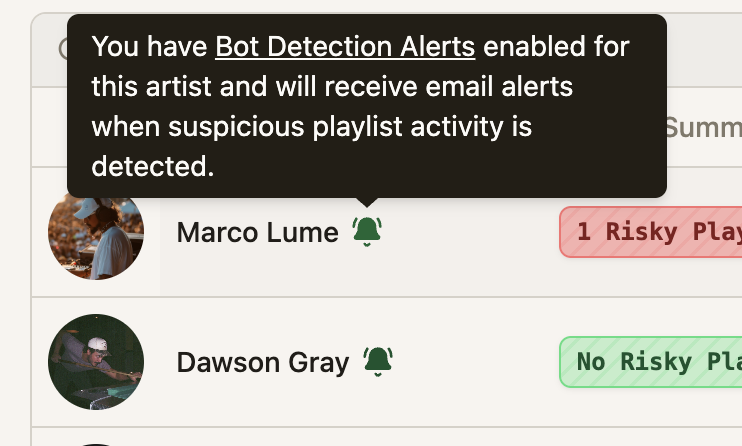
Bot Alert Badge. We now show a bell icon on entities with Bot Detection Alerts enabled, which makes it easier to spot if you're being notified for suspicious activity.
-
More consistency in the UI. Many of the same stats, badges, etc, were presented differently around the site. We've started uniforming the same data as it's presented across the site.
A peak at what's next
-
Search by trending for Track & Artist Search. We released artist, track, and curator search on the Industry Access plan last update, and it's clear it's missing a way to sort by "what's blowing up right now?".
-
Performance improvements for mobile.
-
Random reloads/logouts. Some users report the page spontaniously reloading, or being randomly logged out. This is something that we're actively trying to resolve.