
SEO Improvements, UX Refinements + Bug Fixes

We're continuously improving artist.tools based on your feedback. Here's what's changed recently.
SEO & Keyword Tables Are More Actionable
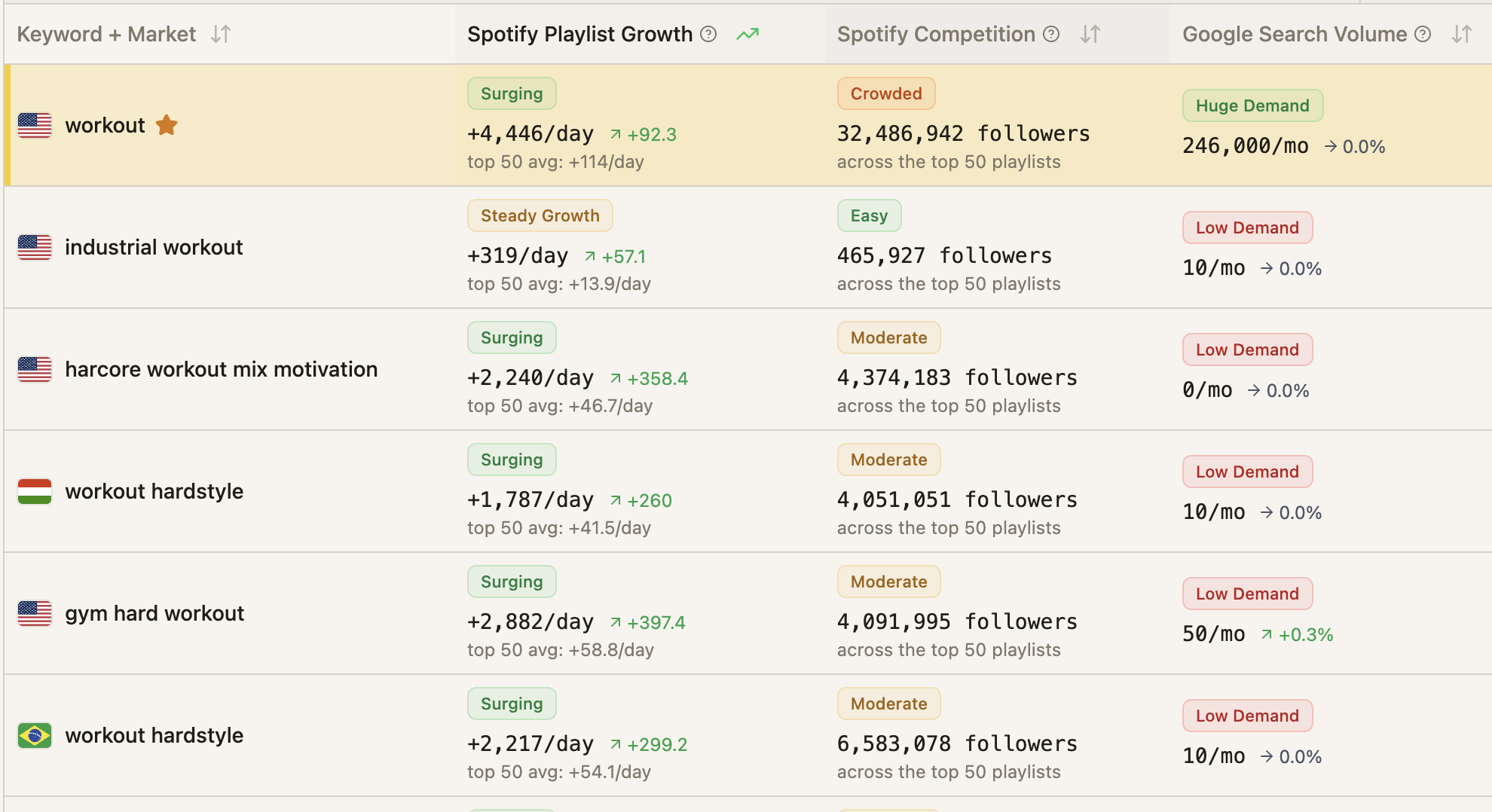
The SEO keyword tables have been redesigned to make trends easier to spot and decisions easier to make.
-
Genre Alignment — A new column shows how well each keyword fits your genre, labeled from Best to Worst. This helps you quickly identify which keywords are most relevant to your music.
-
Position History with Color — The ranking position sparkline now uses color to show trend direction at a glance, making it faster to spot improving, declining, or stable positions.
-
Clearer Trend Signals — Growth indicators and trend calculations now use fresher data, so the numbers you see better reflect recent changes.
Keyword Search Has Better Filters and Saving
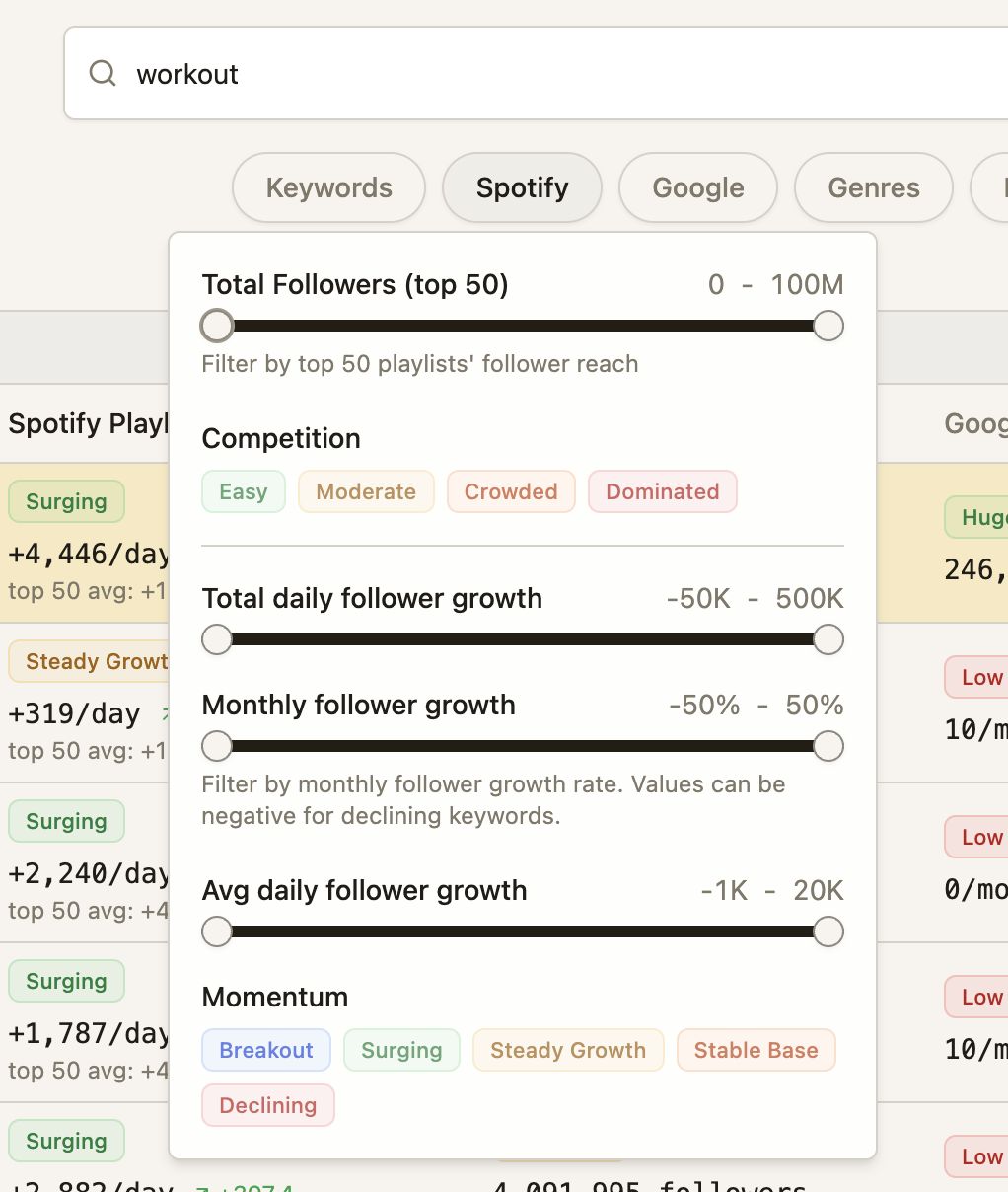
Keyword results now sort more reliably, and you have more ways to filter and organize your saved keywords:
-
Improved sorting options keep your results in a consistent order.
-
New filter controls help you narrow down keyword lists faster.
-
Saved keyword groups now skip entries that failed to refresh, so your saved views stay clean and current.
Bot Detection Alerts Are Easier to Use
If you haven't set up bot detection alerts yet, the new empty-state experience walks you through how it works:
-
Add artists or playlists to your watchlist.
-
We scan continuously for suspicious streaming activity.
-
You get email alerts when something needs attention.
Free users now see clearer upgrade paths and help links directly from the bot detection area.
Editorial Pitch Generator Has a Fresh Start
The Editorial Pitch Generator page now includes a guided empty state if you haven't created a pitch yet. The steps explain the full workflow:
-
Generate your pitch using the AI tool.
-
Submit it on Spotify for Artists.
-
Track placements over time.
Press Mentions Has Its Own Tab
Press coverage is now easier to find with a dedicated Press Mentions tab in the SEO & Press area. This separates your media mentions from other SEO data and makes them faster to review.
Folder Selection Got Keyboard Shortcuts
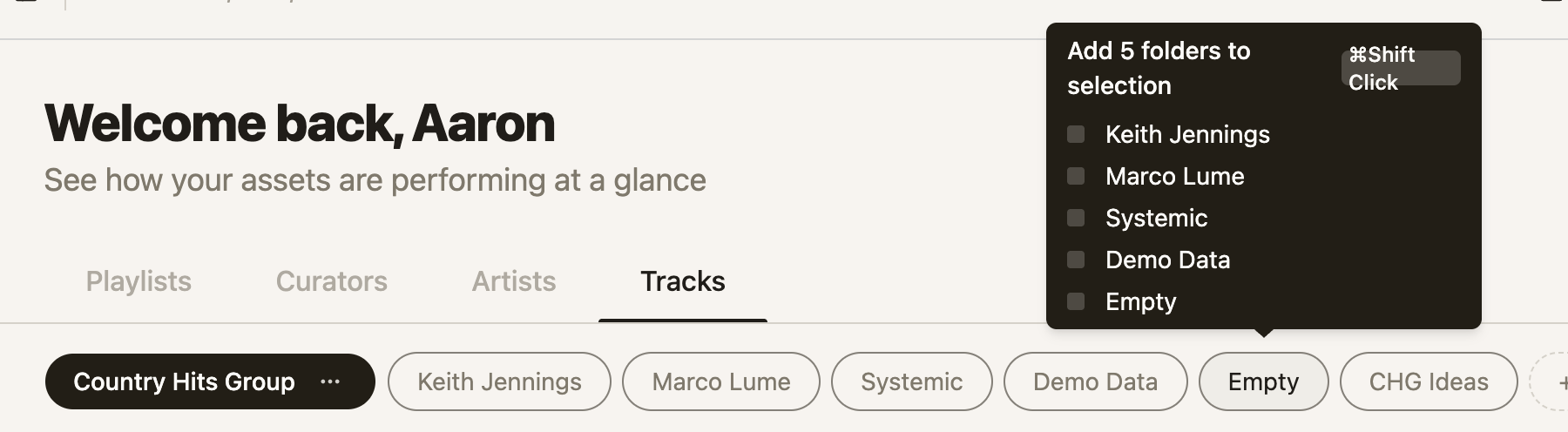
When you're working with folders—whether entity folders on the Dashboard or keyword folders in SEO—you can now multi-select faster:
-
Press Command on Mac or Control on Windows while clicking to toggle individual folders.
-
Press Shift while clicking to select a range of folders.
-
Press Command/Control+A to select all folders.
-
Press Escape to return to a single selected folder.
Playlist Search Shows More Detail
Playlist results now include richer background information, so you can evaluate opportunities faster without opening each playlist individually.
Changes to "AI-Identified" Badging
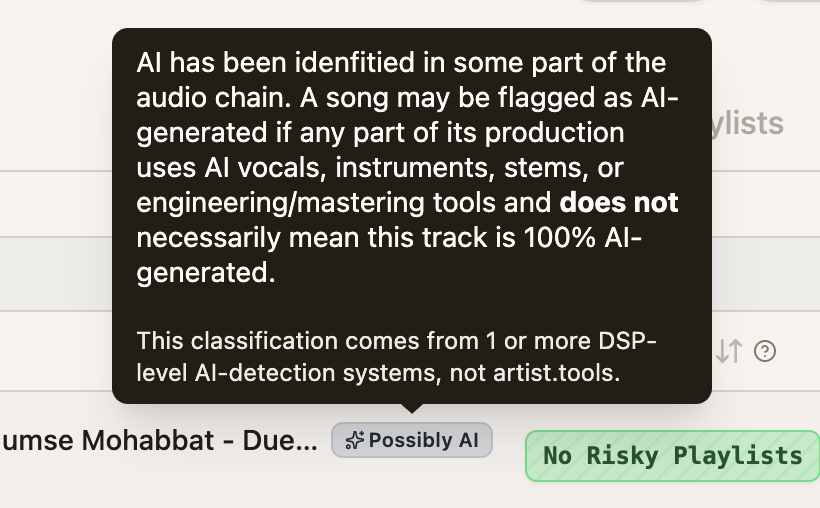
Many artists made complaints that their tracks were detected as "AI-generated", when in fact, it was AI being used in more subtle parts of the audio chain (ie, their producer used AI-generated stems, mixing/mastering tools, etc).
We've refined the wording to make our AI detection clearer on this distinction.
Other Improvements
-
Backend groundwork laid for future YouTube playlist tracking and analysis.
-
Trend and growth charts now use more recent data for current calculations.
-
Keyword analytics now shows an additional growth total column.
-
More consistent keyword rules and filter behavior across the app.
-
Sort dropdown menus are now visible in tables, whereas before, clicking a column was the only way to sort tables.